





 Football in Budapest
 Tennis in Budapest
 Handball in Budapest
 Basketball in Budapest
 Volleyball in Budapest






Your child doesn't need an account of their own. Add them as a player in your account: you join teams for them, answer events and pay their fees, and their games show up in your calendar.
-
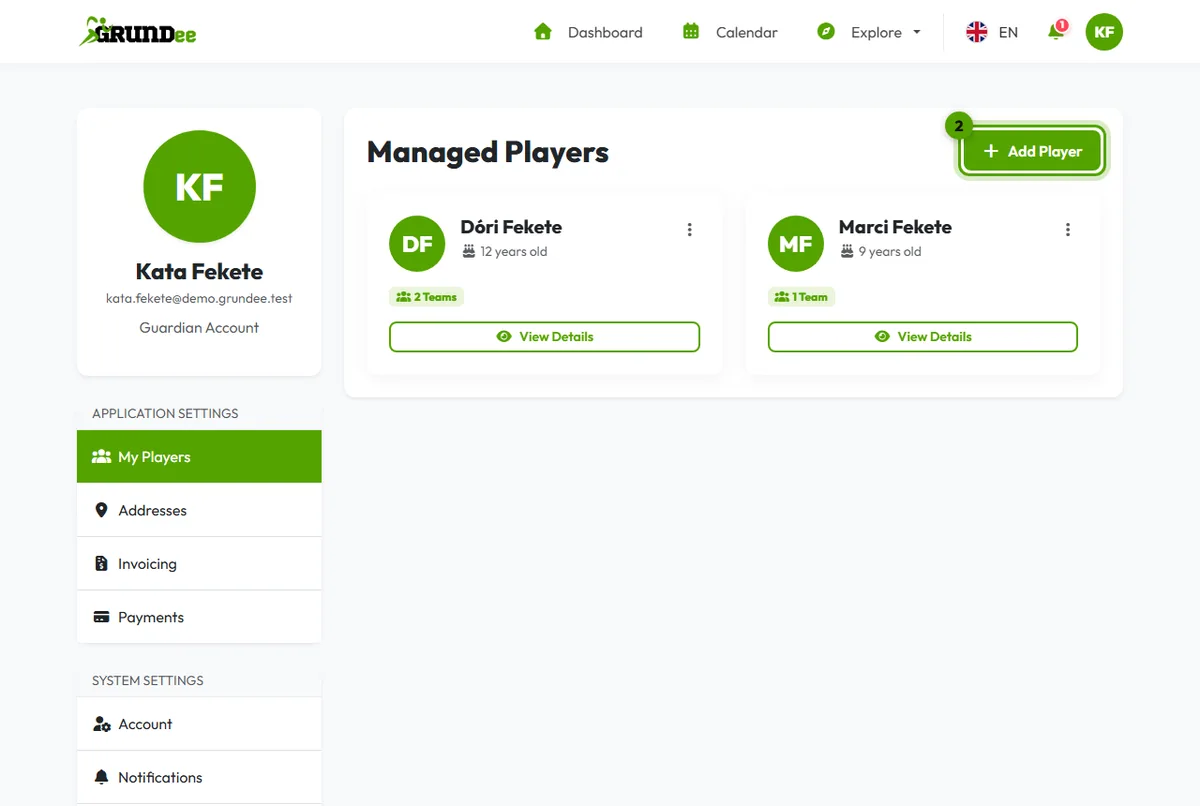
Open My Players
Click your picture in the top right corner, then My Players.
-
Add a player
Click Add Player.
-
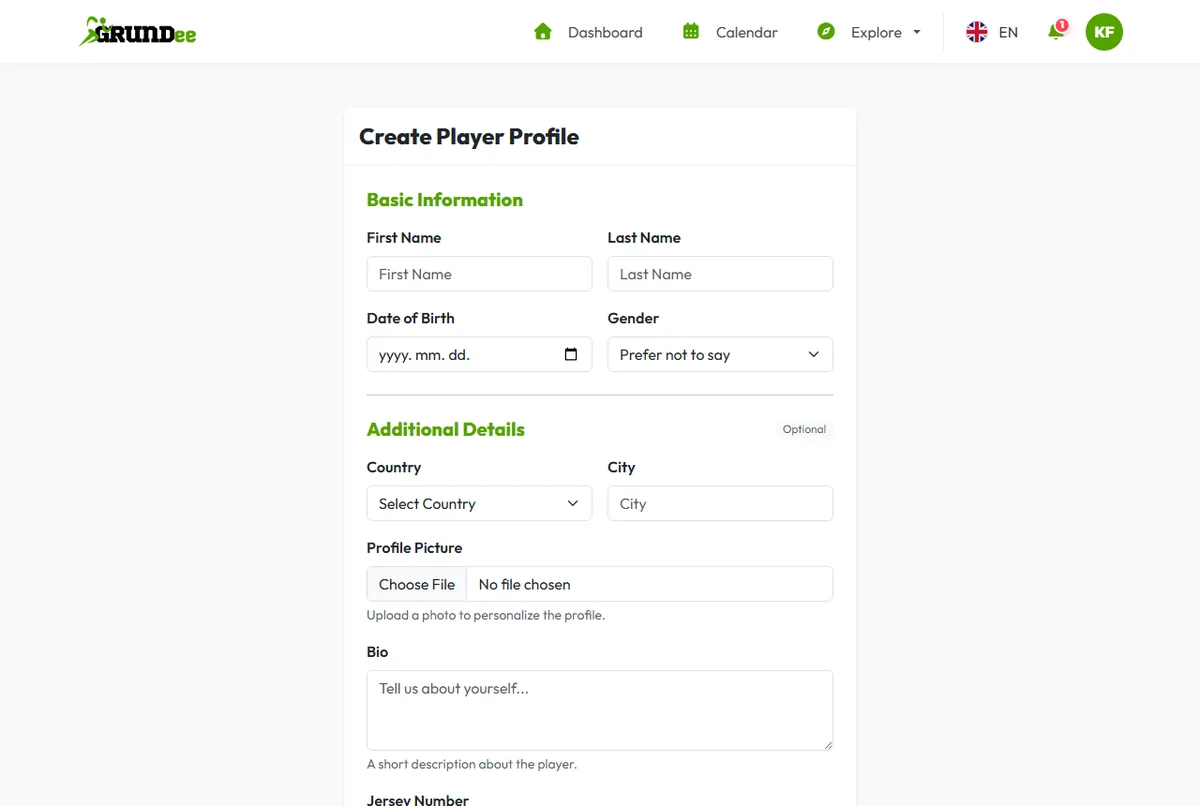
Fill in the profile
Give your child's name, date of birth and gender. A photo, a jersey number and their sports are optional: the sports help us suggest teams and classes. Click Save Changes.
Next steps
- Join a team with the invite link from the coach, or find one yourself.
- Add the other parent so they can answer and pay too.
- Looking for a class? Find a group class.