





 Football in Budapest
 Tennis in Budapest
 Handball in Budapest
 Basketball in Budapest
 Volleyball in Budapest






Booking takes a couple of minutes, and you don't need an account beforehand: you create one on the way.
Instant booking or request?
- Instant Booking: you pick a free time slot and it is yours right away.
- Reservation Request: you say when you'd like to play and the venue confirms. You get an email as soon as they do.
The venue page tells you which one it uses.
-
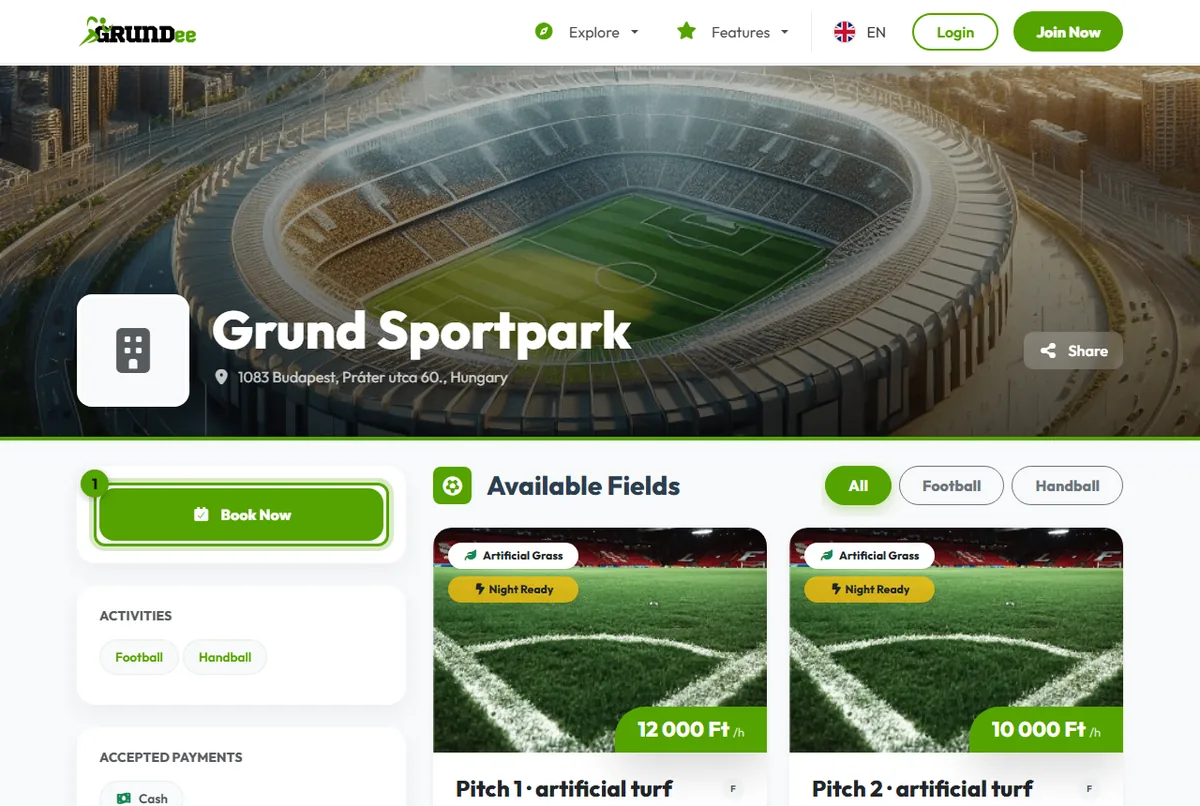
Start from the venue page
Open the venue and click Book Now.
-
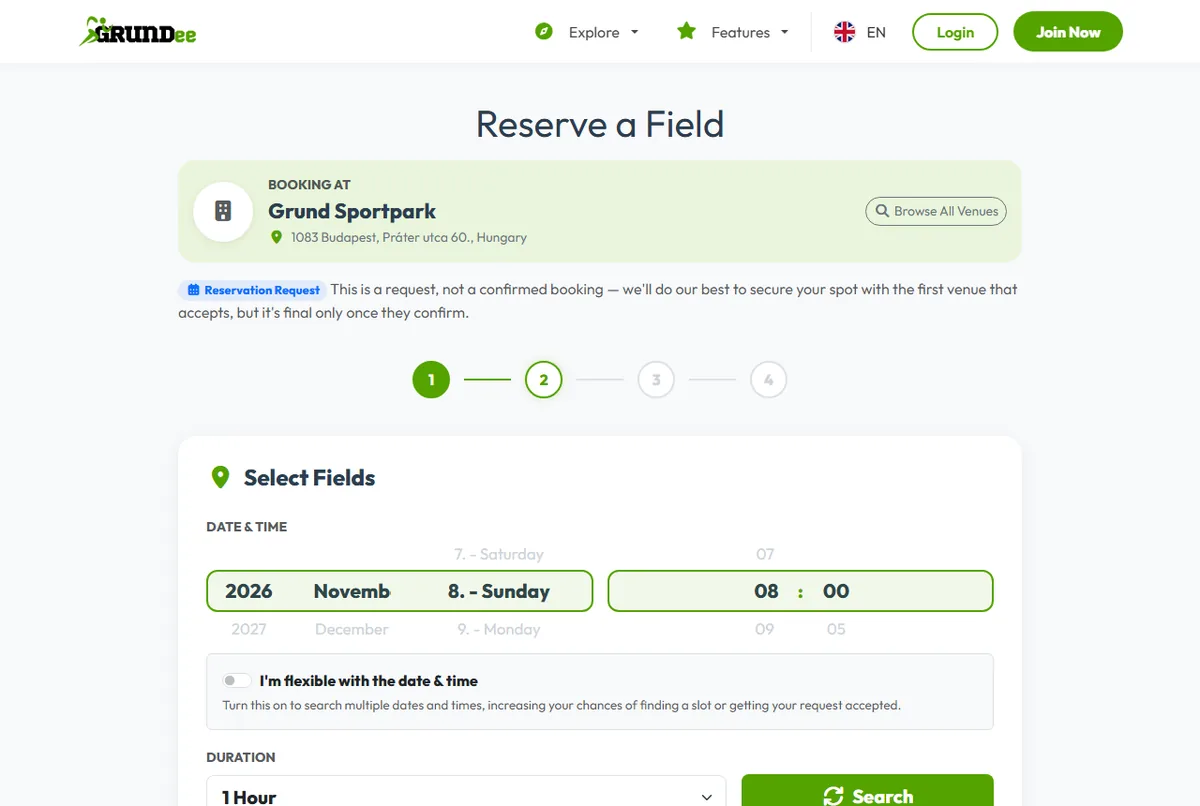
Pick the sport, the field and the time
Choose what you'll play, then a field and a time slot. For a request, switch on “I'm flexible with the date & time” to offer several dates and times: it improves your chances.
-
Give your details
Signed in? Skip this. Otherwise give your name, email address and a password: that creates your Grundee account.
-
Confirm
Check the summary, accept the venue's house rules and click Confirm Booking.
After booking
- The booking becomes an event on your team's calendar, so you can invite players to it straight away.
- The fee shows up among your payments. Pay it by card, or in the way the venue accepts: see paying your fees.