





 Football in Budapest
 Tennis in Budapest
 Handball in Budapest
 Basketball in Budapest
 Volleyball in Budapest






Scheduling a game and still need a field? Ask several venues at once from the event wizard. The first one that accepts gets the booking.
-
Choose Reserve a Field Easily
When you schedule an event, pick Reserve a Field Easily at the place step.
-
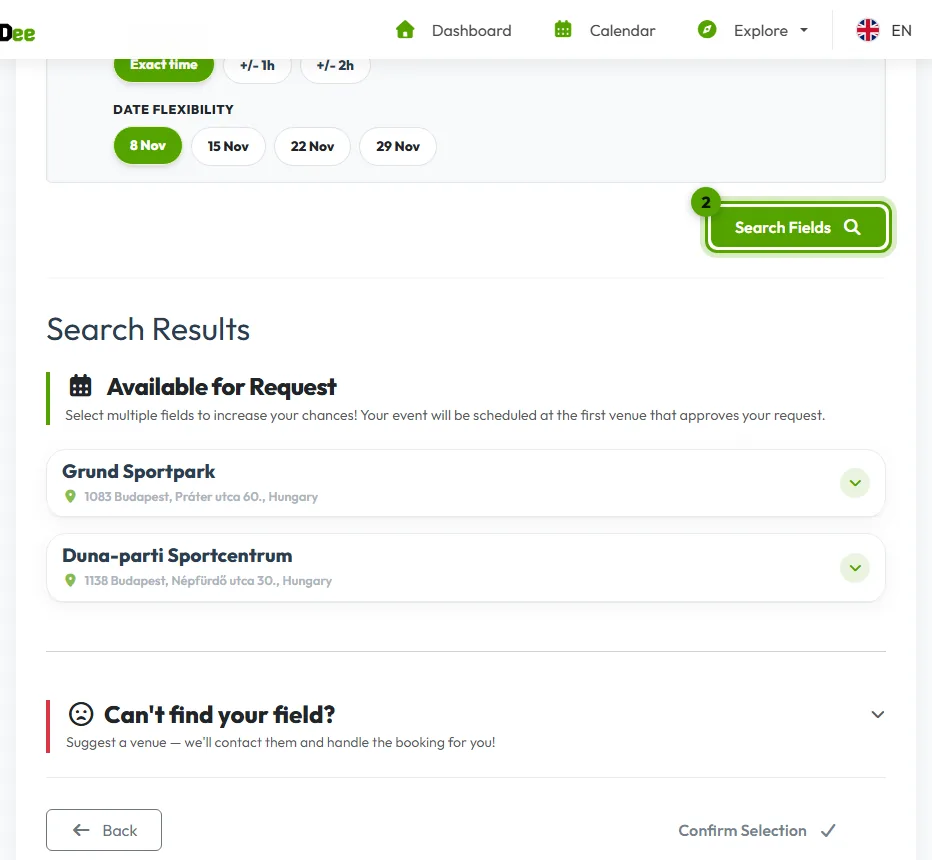
Search for fields
Set the city and the field type, and how flexible you are with the hour and the date. Click Search Fields and add one or more fields to your request.
-
Send the request
Finish the wizard and click Send Reservation Request. The event waits as a draft that only you see.
-
Publish when a venue accepts
You get a notification when a venue approves. Check the final price, adjust the event fee if you like, and click Publish Event: now your players are told.
Can't find your field? Suggest the venue right from the wizard, see suggest a venue.