





 Football in Budapest
 Tennis in Budapest
 Handball in Budapest
 Basketball in Budapest
 Volleyball in Budapest






Every game, training or class is an event on your team's calendar. Your players get an email, answer with one tap, and you see who is coming.
-
Start a new event
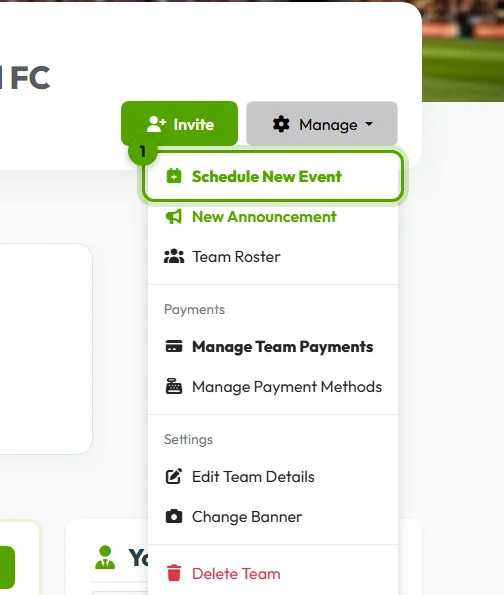
On your team page, open Manage → Schedule New Event.
-
Pick the time
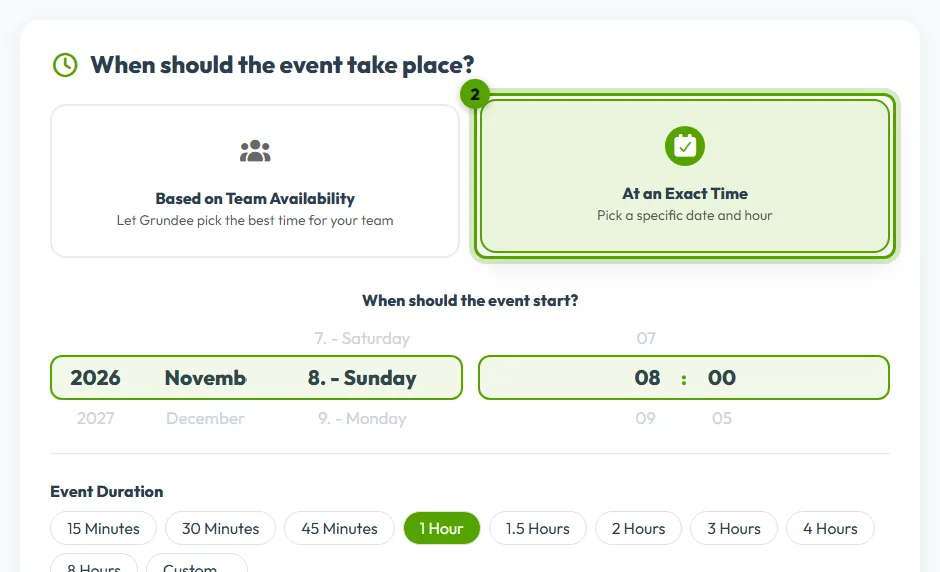
Choose At an Exact Time and set the date, the start and the length. Or choose Based on Team Availability and Grundee suggests the times that suit most of your players.
-
Pick the place
- At an exact location: pick one of your saved addresses or add a new one.
- Reserve a Field Easily: search venues on Grundee and send a booking request. How it works.
- Online Event: add the link of the call.
-
Set the rules and the fee
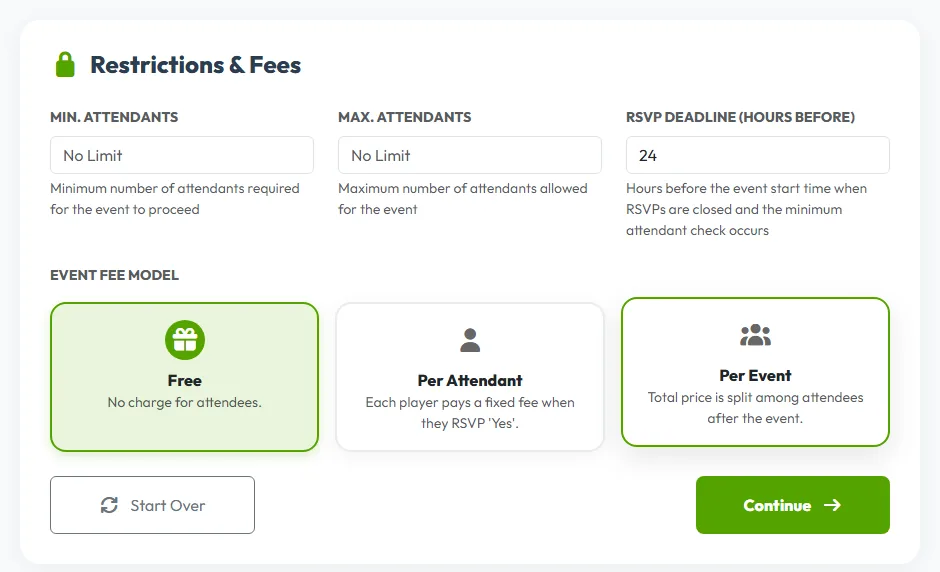
Under Restrictions & Fees you can set the minimum and maximum number of players, when answers close, and whether the event is free, has a price per person, or splits the total cost.
More about limits and the waitlist and event fees.
-
Review and schedule
Give the event a title, check the summary, and click Finalize & Schedule. Your players get a notification and can answer straight away.
Same time every week? Switch on Recurring Event on this page: repeat an event.