





 Football in Budapest
 Tennis in Budapest
 Handball in Budapest
 Basketball in Budapest
 Volleyball in Budapest






Weekly training, Thursday football: set it up once and Grundee keeps the calendar filled.
-
Schedule the first event as usual
Follow scheduling an event up to the last step, Review & Finalize.
-
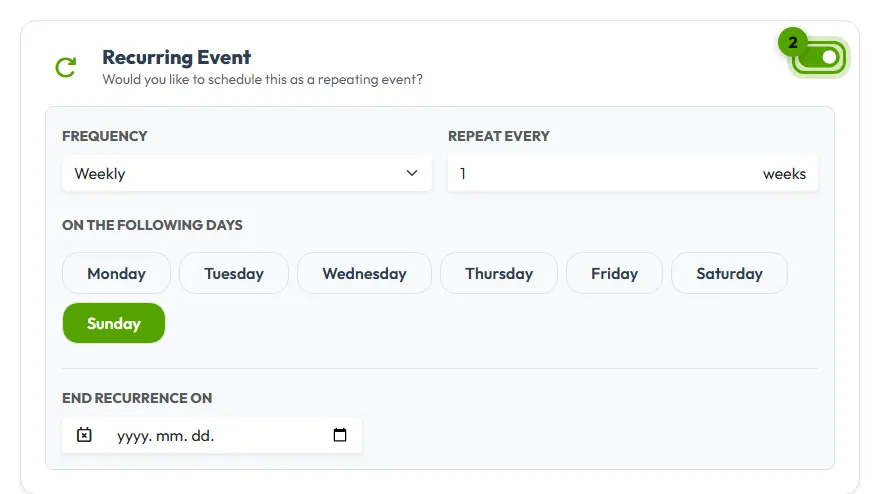
Switch on Recurring Event
Choose how often it repeats (daily, weekly or monthly), every how many weeks, and on which days. Set an end date if the season ends, or leave it open.
-
Schedule it
Click Finalize & Schedule. The next events appear on the team calendar, and Grundee keeps adding new ones as time goes on.
Changing or ending a series
Each event of the series has its own page, so you can cancel one week without touching the others. To stop the whole series, cancel the next event and tick “Delete this and all future occurrences”. See cancelling an event.