





 Football in Budapest
 Tennis in Budapest
 Handball in Budapest
 Basketball in Budapest
 Volleyball in Budapest






Rain, not enough players, a holiday: cancel the event in Grundee and everyone who said Yes or Maybe hears about it at once, by email and in the app.
-
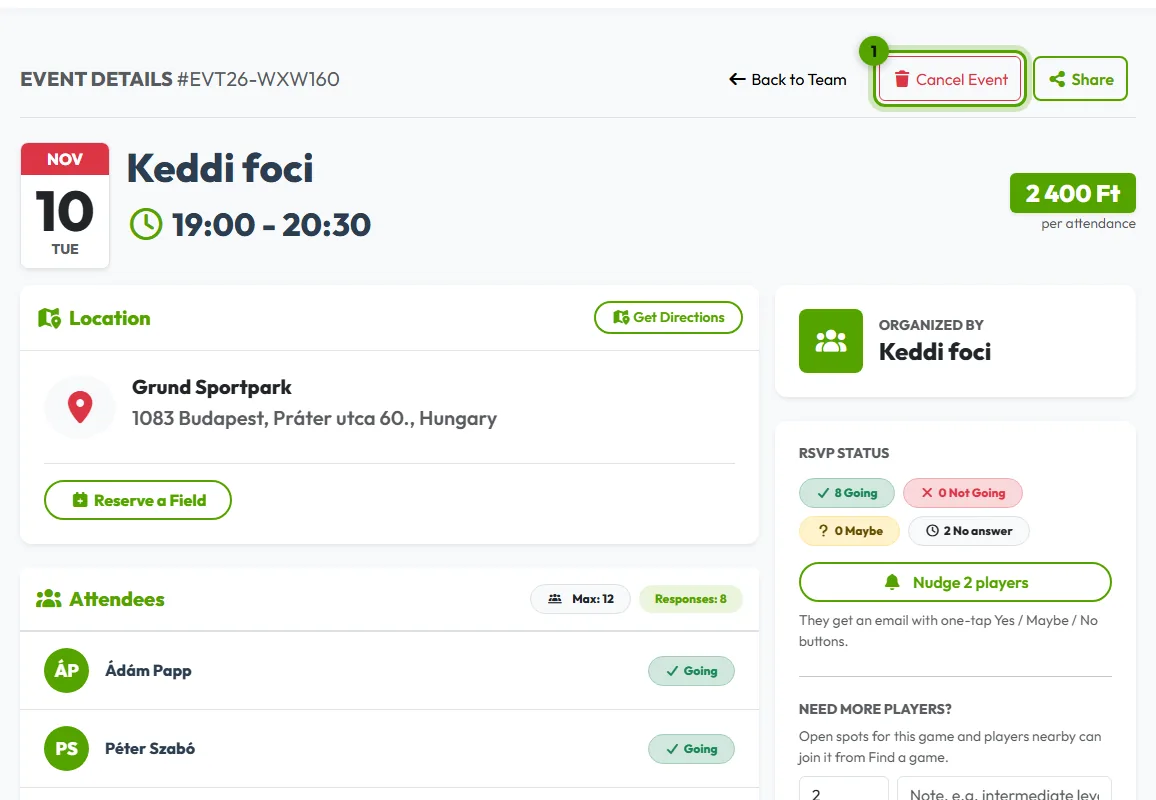
Open the event and click Cancel Event
Click Cancel Event at the top of the event page.
-
Confirm
For a repeating event, tick “Delete this and all future occurrences” to end the whole series; leave it unticked to cancel only this one. Click Confirm Cancellation.
What happens to…
- the answers: the event shows as cancelled and no longer takes answers;
- past events of a series: they stay, so attendance and payments remain in your records;
- a field you booked through Grundee: cancel the booking too, see cancelling a booking;
- fees already paid: see refunds.