





 Football in Budapest
 Tennis in Budapest
 Handball in Budapest
 Basketball in Budapest
 Volleyball in Budapest






Short of players this week? Open a few spots and players nearby can join that one game. Looking for a game yourself? Take a spot in someone else's.
For organizers: open spots
-
Open the event
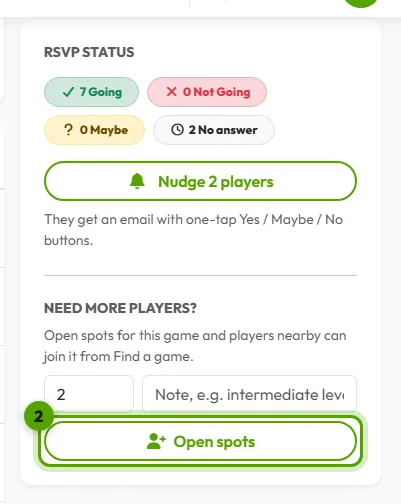
Look for the “Need more players?” box on the event page.
-
Say how many players you need
Set the number and click Open spots. The game is listed in Find a game, and players interested in your sport in your city get a notification.
-
Share it, then close it
Share the game link in your groups too. When you have enough players, click Stop taking new players.
For players: find a game
-
Browse the games looking for players
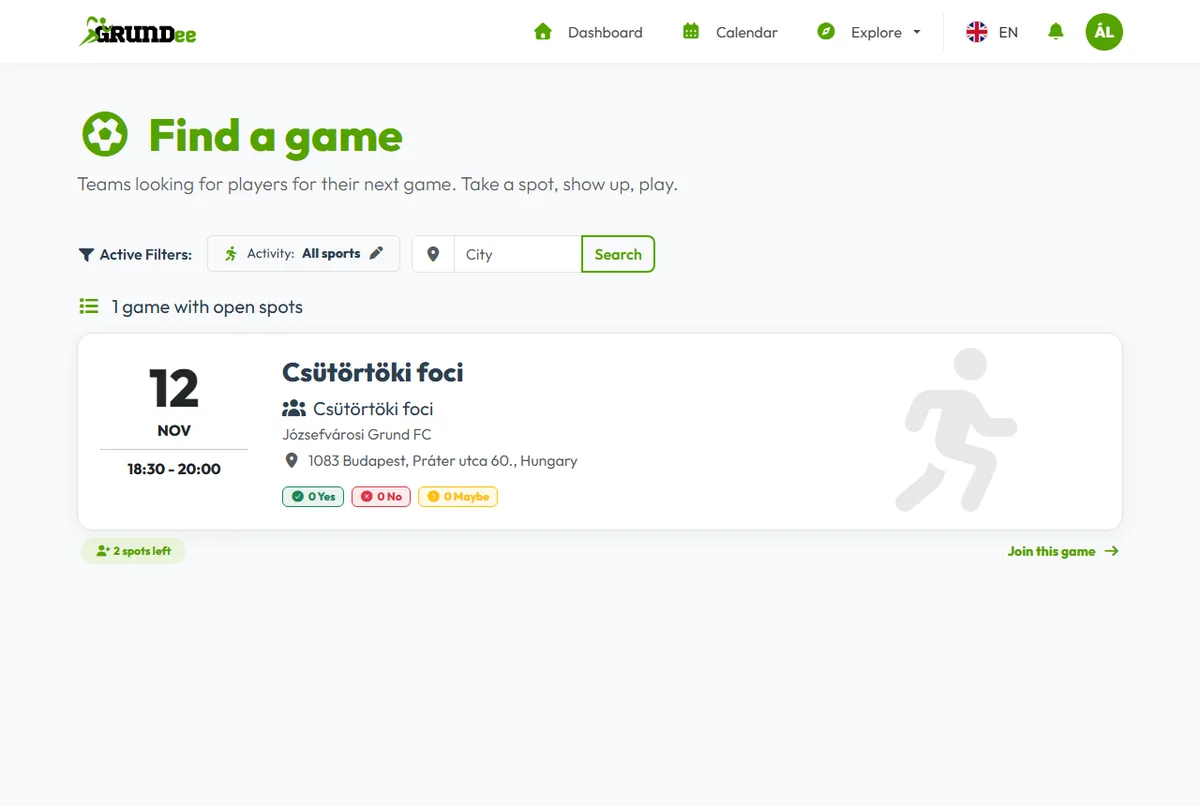
Open Explore → Find a game and pick your sport and city.
-
Take a spot
Open a game, check the time, place and price, and click Join this game. First come, first served. You join this game only, not the team.