





 Football in Budapest
 Tennis in Budapest
 Handball in Budapest
 Basketball in Budapest
 Volleyball in Budapest






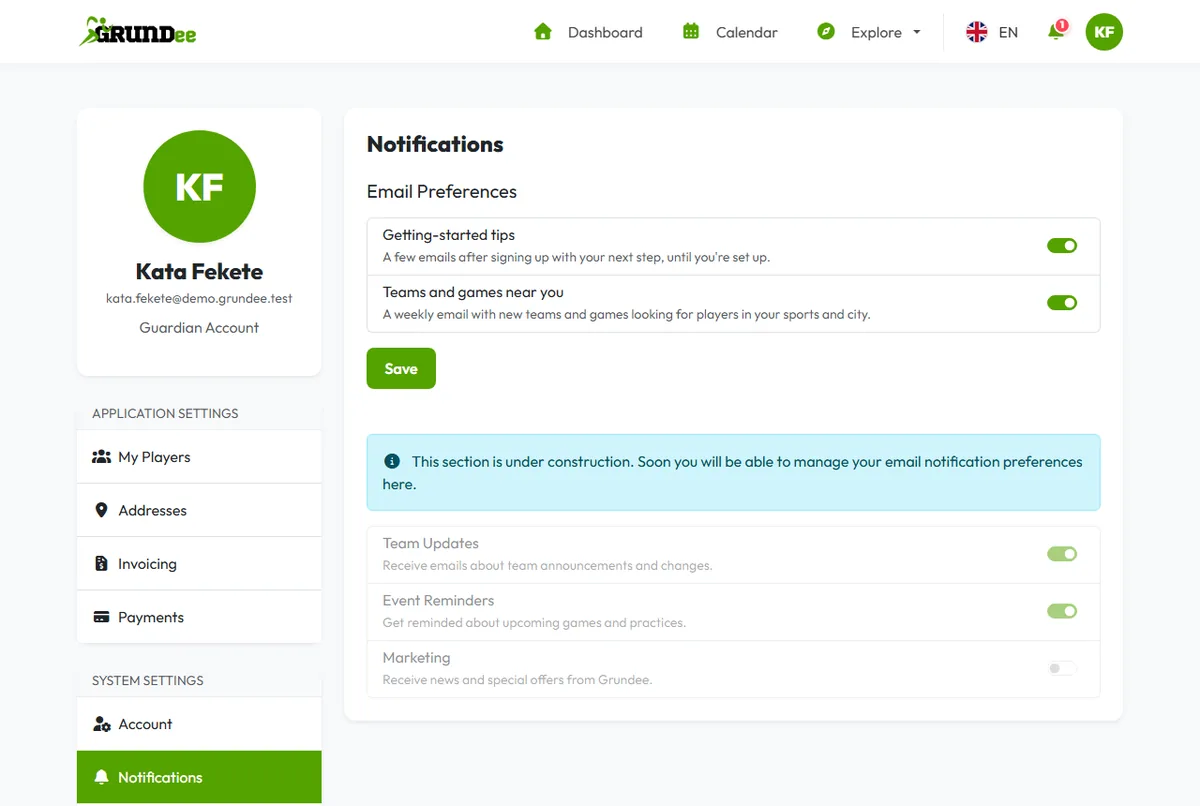
Some of our emails are tips and suggestions. You can turn those off; the emails about your own teams, events and payments always come.
-
Open your email preferences
Click your picture in the top right corner, then Account Settings, and choose Notifications on the left.
-
Switch off what you don't need
- Getting-started tips: A few emails after signing up with your next step, until you're set up.
- Teams and games near you: A weekly email with new teams and games looking for players in your sports and city.
Click Save.
Each of these emails also has an unsubscribe link at the bottom, which works with one click.
Rather have it on your phone? Switch on push notifications on the same page: the reminder 2 hours before a game then comes to your phone instead of by email. How it works.