





 Football in Budapest
 Tennis in Budapest
 Handball in Budapest
 Basketball in Budapest
 Volleyball in Budapest






For anything that isn't a membership or event fee (a new kit, a tournament entry, a trip), ask one player to pay with a payment request.
-
Open the request form
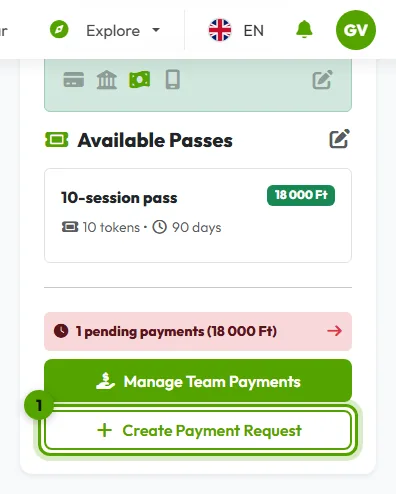
On your team page, find the Payments card and click Create Payment Request.
-
Fill it in
Choose who needs to pay, what the payment is for, and the amount. Switch on a due date if it has to be paid by a day: after it the payment shows as overdue.
Click Create Payment Request. The player gets a notification and sees the request in their payments, where they can pay online.
Reminders
Unpaid requests are reminded automatically: on the due date (or 3 days after the request without one), then once a week, three times at most. Need it sooner? Open the payment and click Send a reminder (once a day).
Paid in cash or by bank transfer? Record the payment.