





 Football in Budapest
 Tennis in Budapest
 Handball in Budapest
 Basketball in Budapest
 Volleyball in Budapest






The bracket maker is free and needs no account: a knockout, a double elimination, a league or groups followed by a knockout, for up to 128 players, pairs or teams.
-
Pick the sport
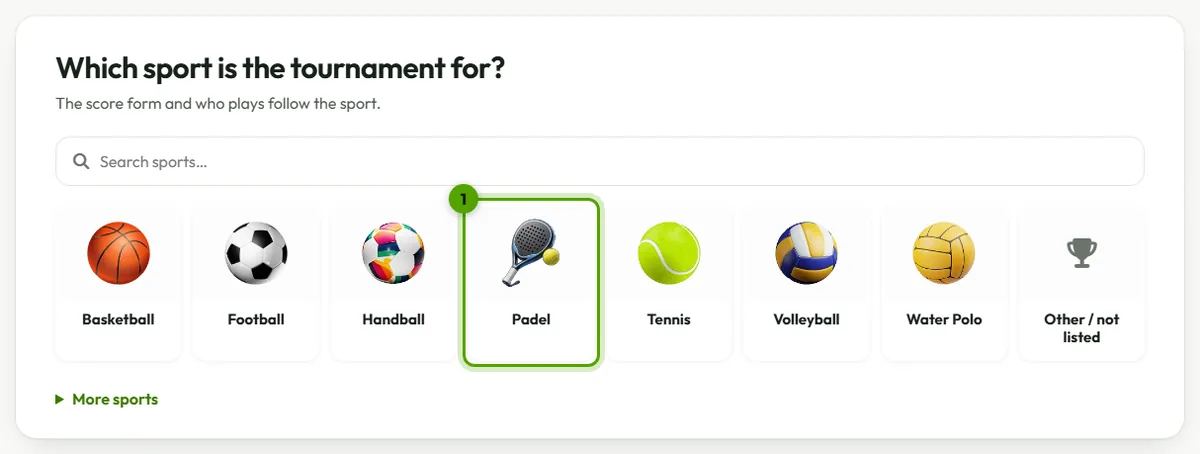
The first screen lists the sports. Pick yours, or Other / not listed: the score form follows it (sets and tiebreaks for tennis and padel, goals with extra time and penalties for football), and so does who plays: pairs for padel, teams for football.
-
Name it
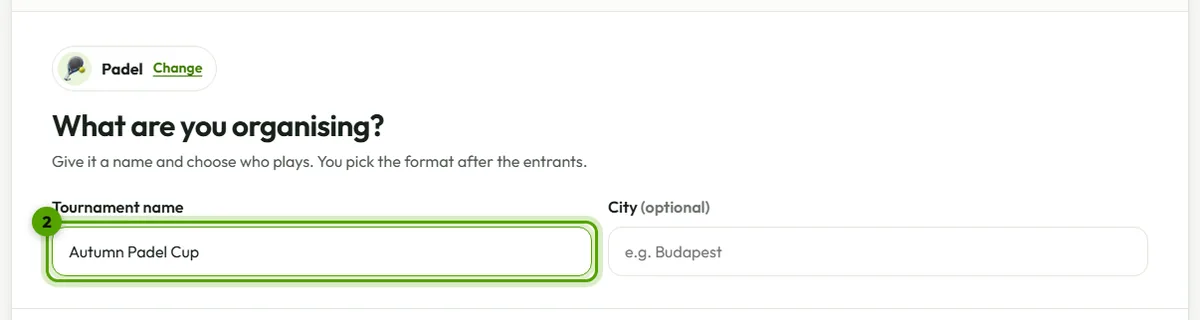
Type the tournament's name, and the city if you like. Where the sport has a choice, say who plays: singles or doubles in tennis, for example. Then click Next.
Picked the wrong sport? Tap it at the top of this step to change it.
-
Add the entrants
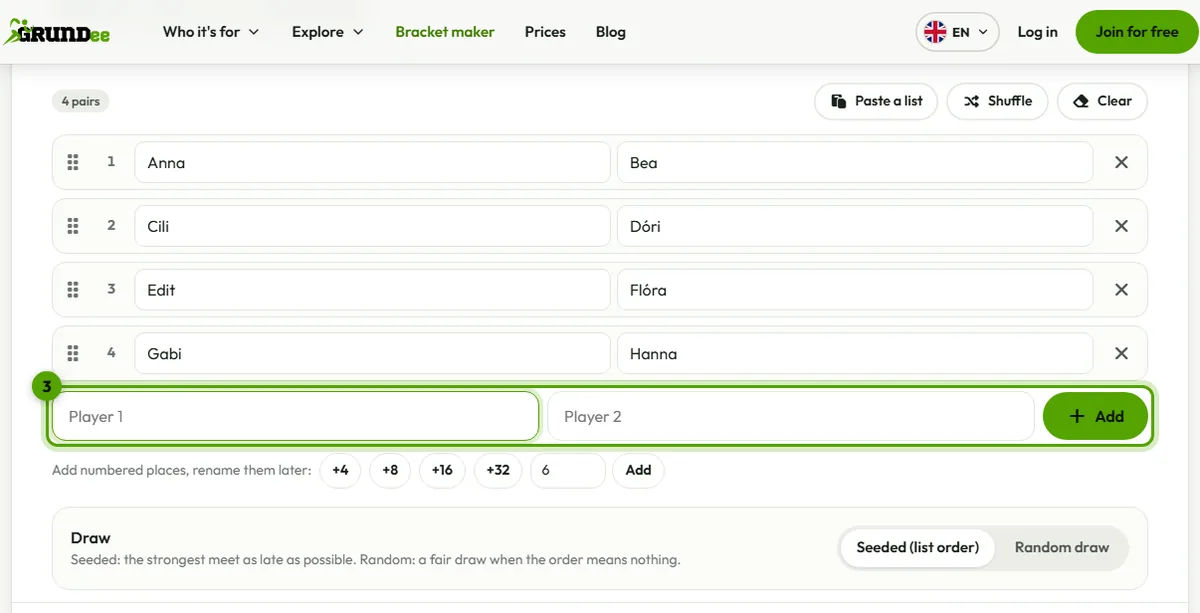
Type each name and press Enter, or use Paste a list to add a whole list, one per line (a pair as “Anna / Bea”).
Don't know the names yet? Add numbered places (+8, +16 or any number) and rename them later.
The order is the seeding: the first is the strongest, and the strongest meet as late as possible. Drag the names to change it, or choose a random draw.
-
Choose the format
The format marked Recommended suits the number of entrants. Each has its options: a match for third place, a decider in the double-elimination final, how many groups and how many go through, points and tiebreakers in a league.

-
Check the scoring and create it
The live preview under the steps shows the bracket as it will look. Check the scoring (for example best of three sets, a super tiebreak instead of the third set), then click Create bracket.
Not sure which format to pick? The formats explained.