





 Football in Budapest
 Tennis in Budapest
 Handball in Budapest
 Basketball in Budapest
 Volleyball in Budapest






On the Schedule tab of a Grundee tournament you add the courts you play on and when you have them, and Grundee plans every match: who plays where and when. Players see the order of play on the tournament's page and in their calendar.
-
Add the courts and the time
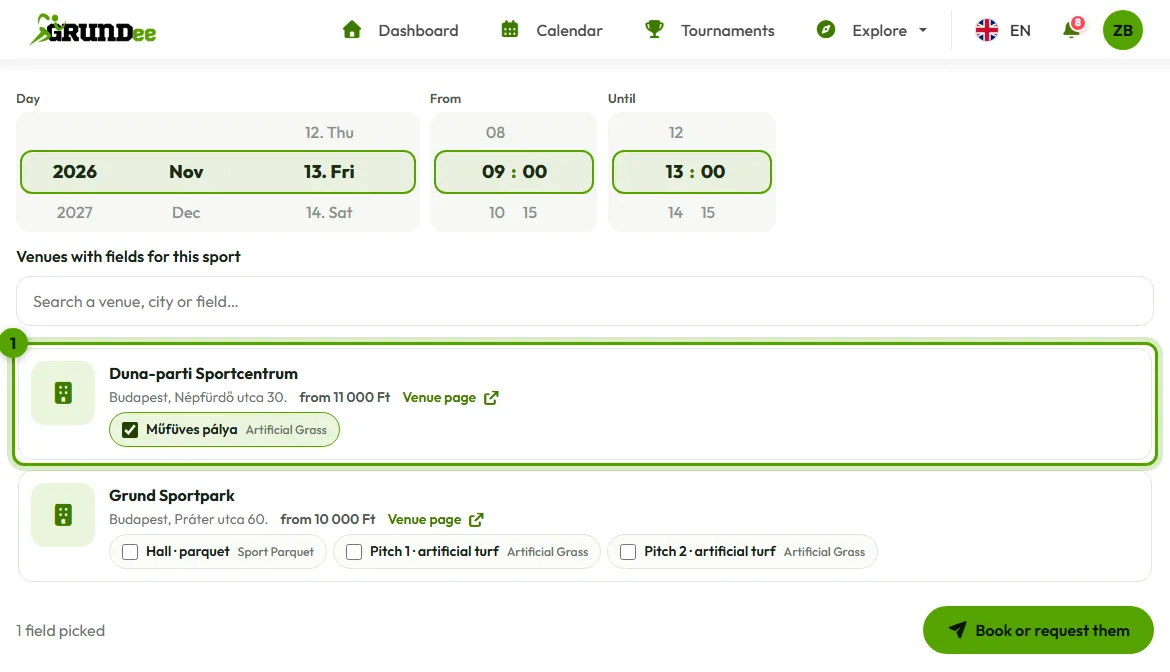
Under At a venue on Grundee, set the day and the hours on the scroll wheels, then tick the fields you want on the venues' cards: several at once, at several venues. Each card shows where the venue is and what it costs; its page opens in a new tab. Book or request them books the fields at your own venue at once and sends every other venue a request.
For a place that isn't on Grundee, choose Somewhere else: give the court a name ("Court 1") and, if you like, one of your addresses, so players know where to go. Then give it its time.
-
Plan the matches
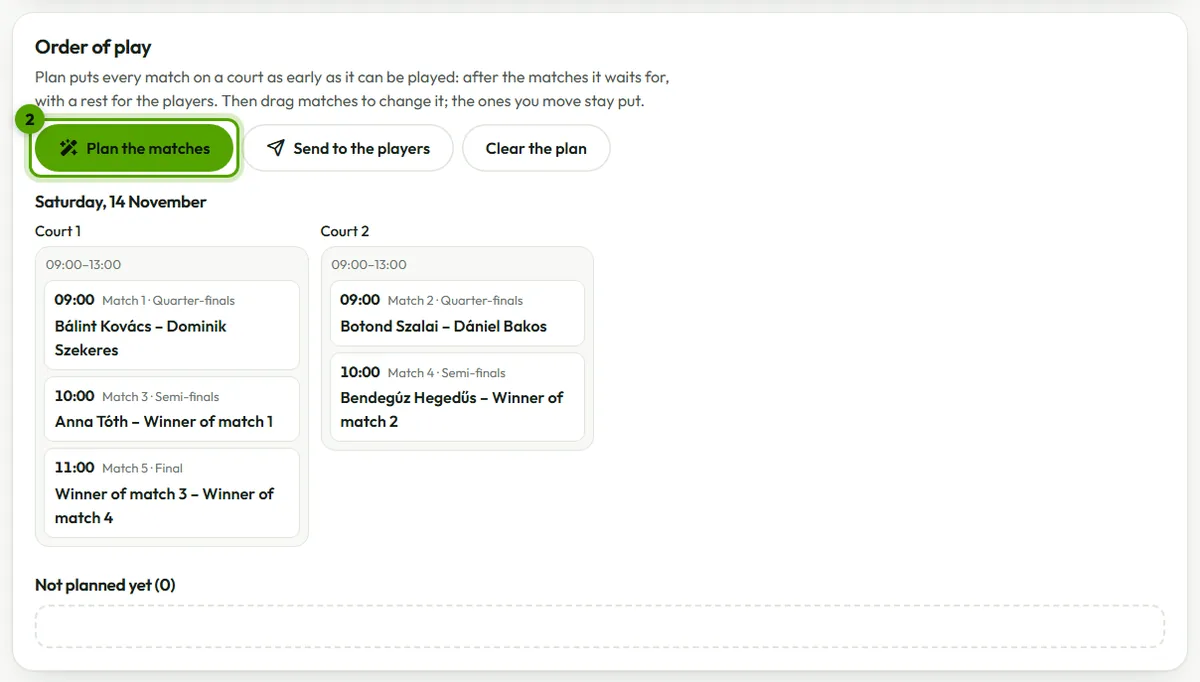
Set how long a match takes and how much rest players get, then Plan the matches. Every match goes on a court as early as it can be played: after the matches it waits for, and never two at once for anyone.
-
Move matches by hand
Drag a match to another court or another place in the line. It stays where you put it when you plan again (a pin shows it). A match that would start before what it waits for has ended is marked Too early.
Good to know
- Matches that don't fit stay under Not planned yet: add more time or another court, then plan again.
- A venue that declines a request marks those hours Not booked: nothing is planned there.
- Removing a court's time cancels its reservation (or withdraws the request) and puts its matches back under Not planned yet.
- Players linked from Grundee get their matches in their Grundee calendar and the calendar feed they subscribed to.