





 Football in Budapest
 Tennis in Budapest
 Handball in Budapest
 Basketball in Budapest
 Volleyball in Budapest






Instead of typing the names, let the players sign up on the tournament's page: you set how many can play and the entry fee, approve the sign-ups if you like, and make the draw when the sign-up closes.
-
Open the sign-up
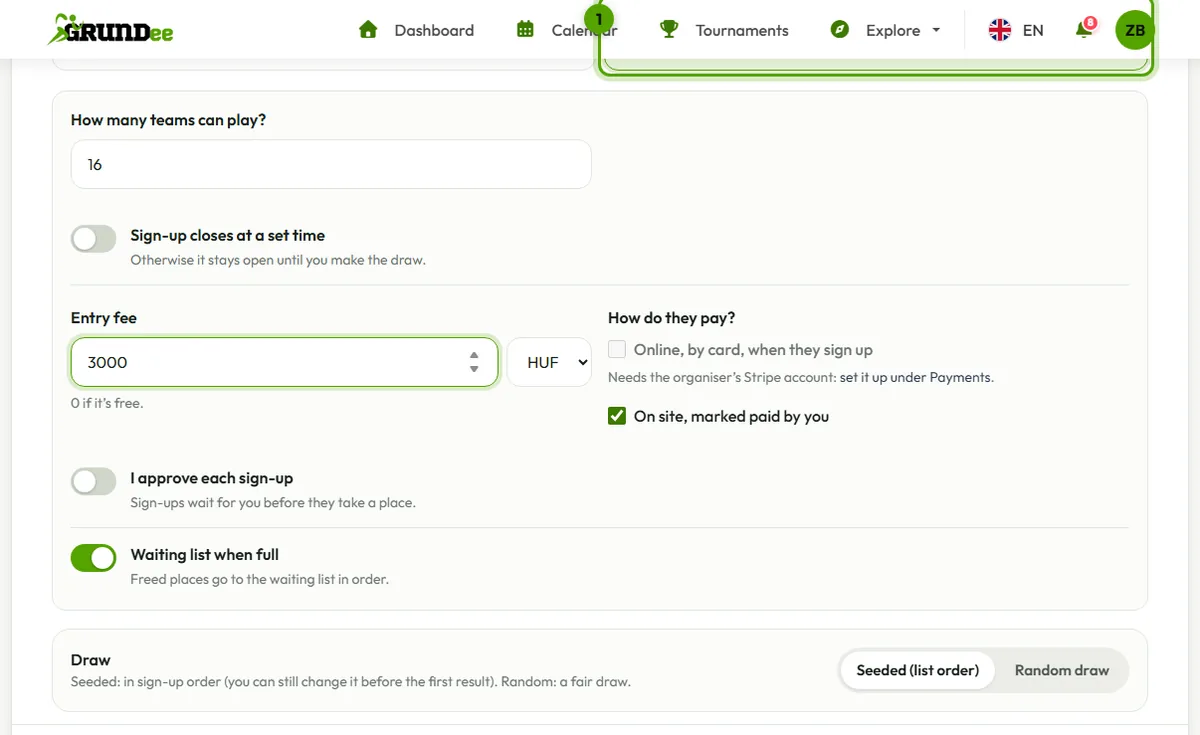
In New tournament, at the entrants step, choose They sign up. Set how many can play, when the sign-up closes (or leave it open until the draw), and the entry fee: online by card, on site, or both.
Want to announce it before players can sign up? Switch on that the sign-up opens at a set time: until then the page counts down to the opening, and you can already invite players and add entrants yourself. Players of the sport hear about a public tournament when its sign-up opens.
-
Share the page
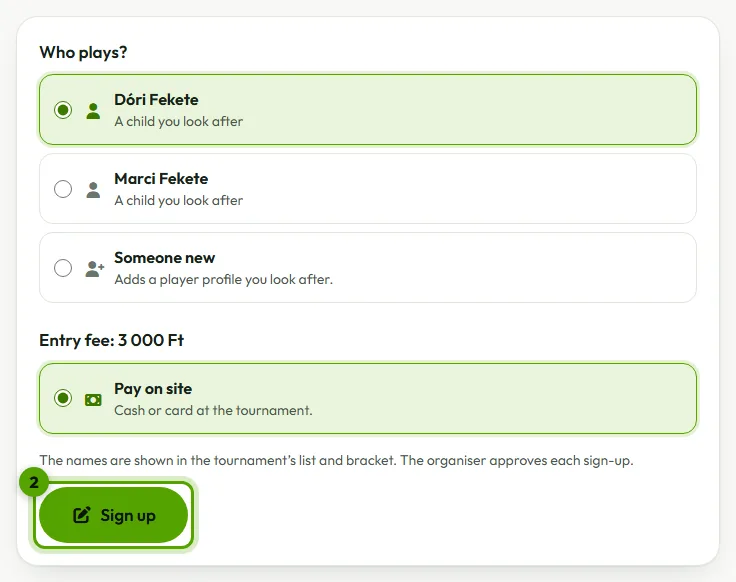
Send the tournament's link or QR code to the players. They sign up themselves or a child they look after; for doubles they pick their partner or invite them by email, and the pair is in once the partner accepts.
-
Look after the entries
Below the tournament's page, the Entries part lists every sign-up. Approve them if you check each one, use Mark paid when someone pays on site, and add people who signed up in person.

-
Make the draw
Close sign-up and draw ends the sign-up and makes the bracket from everyone who is in. Fewer came than planned? Pick another format there.
Places, the waiting list and payments
- When it's full, new sign-ups go on the waiting list, and a freed place goes to the first in line.
- Paying online holds the place for 30 minutes (48 hours after you approve someone): unpaid, it goes to the next on the list.
- Online payments go to the Stripe account of the organiser in charge (the club's manager, the venue's owner, the team's coach). Set it up under Payments first.
- When you decline or remove someone who paid online, or delete the tournament, the fee is refunded automatically. Fees paid on site are marked for you to give back.
- Players can withdraw until the sign-up closes; a fee they paid online is refunded.