





 Football in Budapest
 Tennis in Budapest
 Handball in Budapest
 Basketball in Budapest
 Volleyball in Budapest






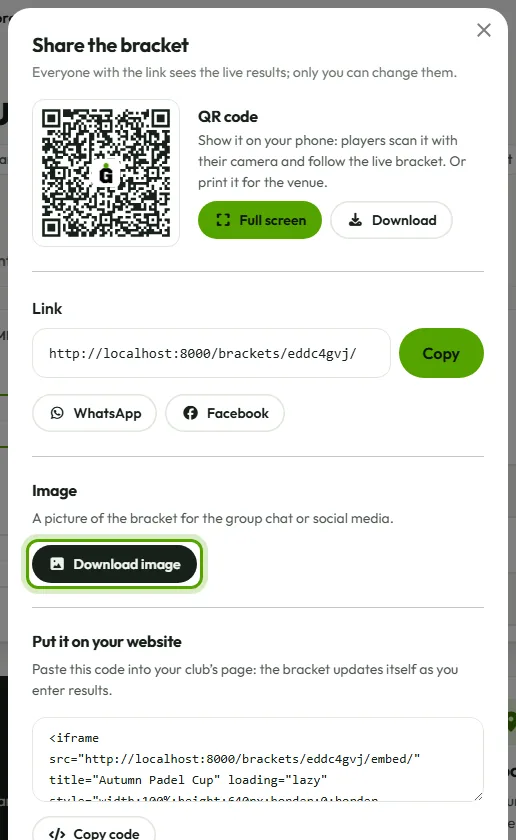
Click Share at the top of the bracket. Everyone you share it with sees the live results, but only you can change them.
The link
Copy it, or send it straight to WhatsApp or Facebook. The page always shows the latest results and refreshes itself while it's open.
A QR code
QR code at the top of the bracket shows its link as a QR code, full screen: hold your phone up, and the players scan it with their camera to follow the live bracket. In the share window, Download saves the code as a picture you can print for the venue.
An image
Download image makes a picture of the bracket (or the tables) for the group chat or social media. On a phone it opens the share menu.
On your club's website
Copy code gives you a short piece of HTML to paste into your website. The bracket updates itself there too, as you enter results.
Who can find it
A bracket is seen only by people who have its link. If you switch on Public bracket in Settings, it is also listed in Grundee's tournament gallery and can show up on Google. You have to confirm that everyone listed agrees to their name being shown publicly (for under-16s, their parents).