





 Football in Budapest
 Tennis in Budapest
 Handball in Budapest
 Basketball in Budapest
 Volleyball in Budapest






Only the organiser can enter results: whoever made the bracket in this browser, has its edit link, or saved it to their account. Everyone else sees the results as they come in.
-
Open the match
Tap a match with a green border on the bracket. On a phone it's often easier from the Matches tab, filtered to To play.
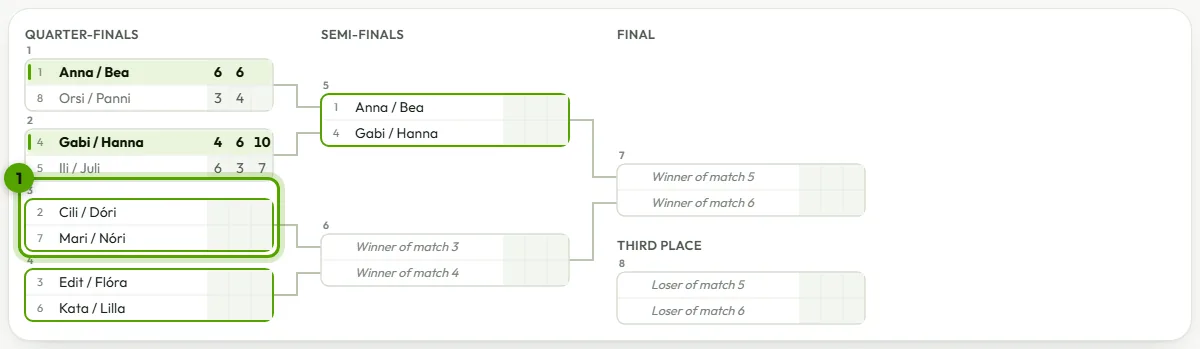
-
Type the score
The form follows the sport: one row per set for tennis, padel or volleyball, goals with extra time and penalties for football. Don't know the score? Choose Just the winner. Then click Save result.
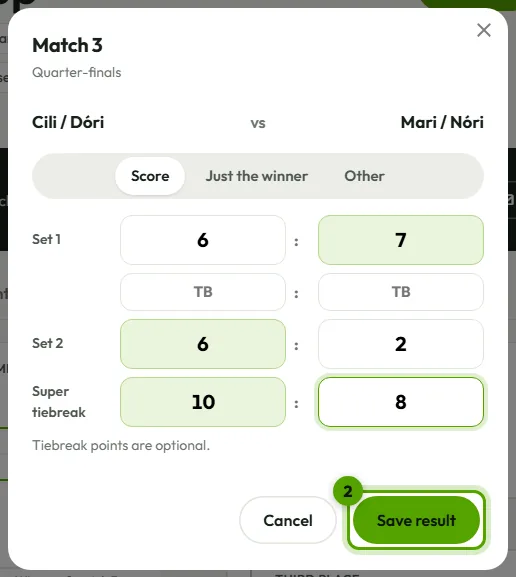
If the score can't be right, for example 6-5 in tennis or 25-24 in volleyball, the form says why. The winner moves on straight away, and the tables update.
Walkovers, retirements and withdrawals
In the score form, Other covers a walkover (one side didn't turn up), a retirement (the score so far is kept) and a match neither side turned up to.
When someone leaves the tournament, open Entrants and choose Withdraw next to their name: they lose the matches they haven't played. In a league, their results are removed if they played less than half their matches.
Correcting a result
Open the match again and change it, or clear it. Right after saving, Undo brings back what was there. If a different winner changes who played later matches, Grundee lists those matches and asks before clearing their results.