





 Football in Budapest
 Tennis in Budapest
 Handball in Budapest
 Basketball in Budapest
 Volleyball in Budapest






Without instant booking, every booking starts as a request that you accept or decline. Teams often offer several dates and times, so you can pick the one that suits you.
From the email
Each new request arrives by email with a “Review & accept” button and a decline link. If you don't answer, we remind you; a request nobody answers closes 2 hours before the requested time.
From your dashboard
-
Open the requests
On your venue dashboard, click Review Requests under Pending Requests.
-
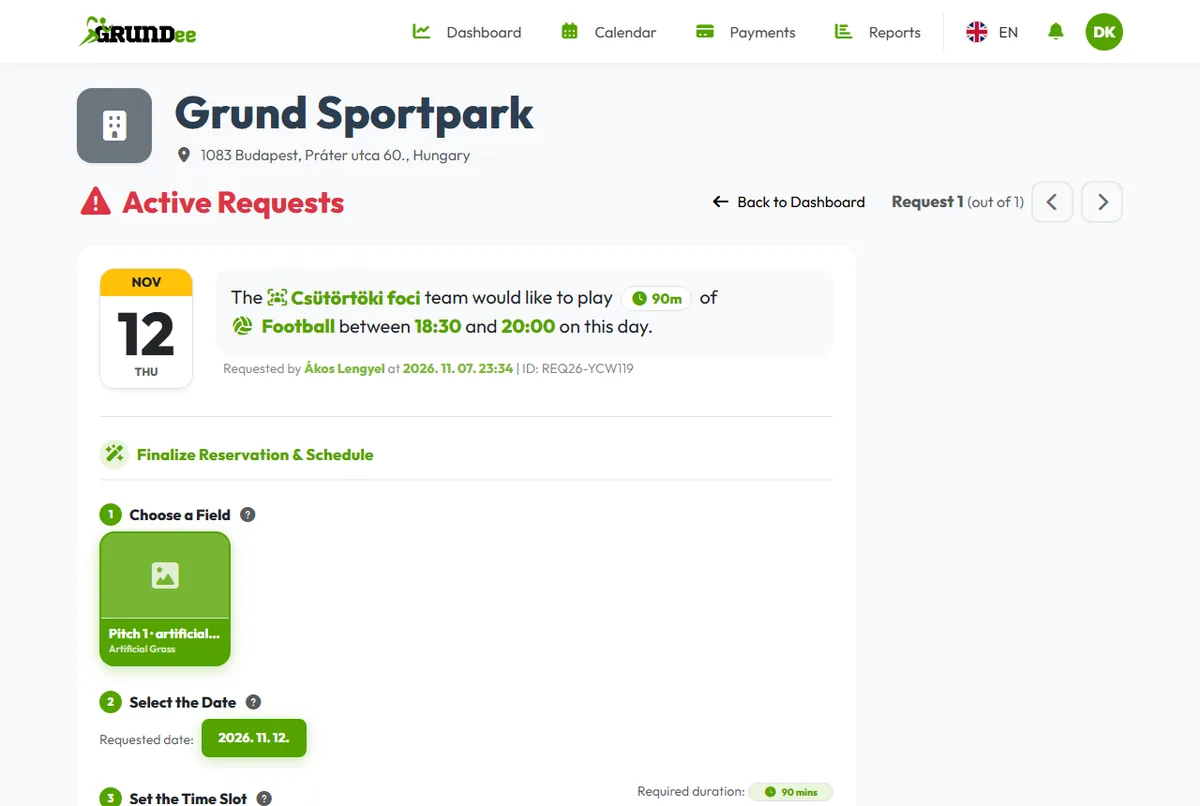
Pick the field, the date and the time
Each request shows the team, the sport and the times they asked for, with any alternatives. Choose a field, a date and a time slot, and check the final price.
-
Accept or reject
Click Accept Reservation Request. The booking lands in your calendar and the team is told at once. Or click Reject and give a reason.
Cancellation requests
When a team wants to cancel a booking, the request shows up in the same list. Click Approve Cancellation or Keep Reservation.