





 Football in Budapest
 Tennis in Budapest
 Handball in Budapest
 Basketball in Budapest
 Volleyball in Budapest






Get your venue listed on Grundee in a couple of minutes. Listing your venue and adding fields is free.
-
Open the venue registration
Go to Register Your Venue, or start from Grundee for venues.
-
Search for your venue
Type your venue's name. If it's already on Grundee, claim it. If not, click Can't find your venue? Register it as new.
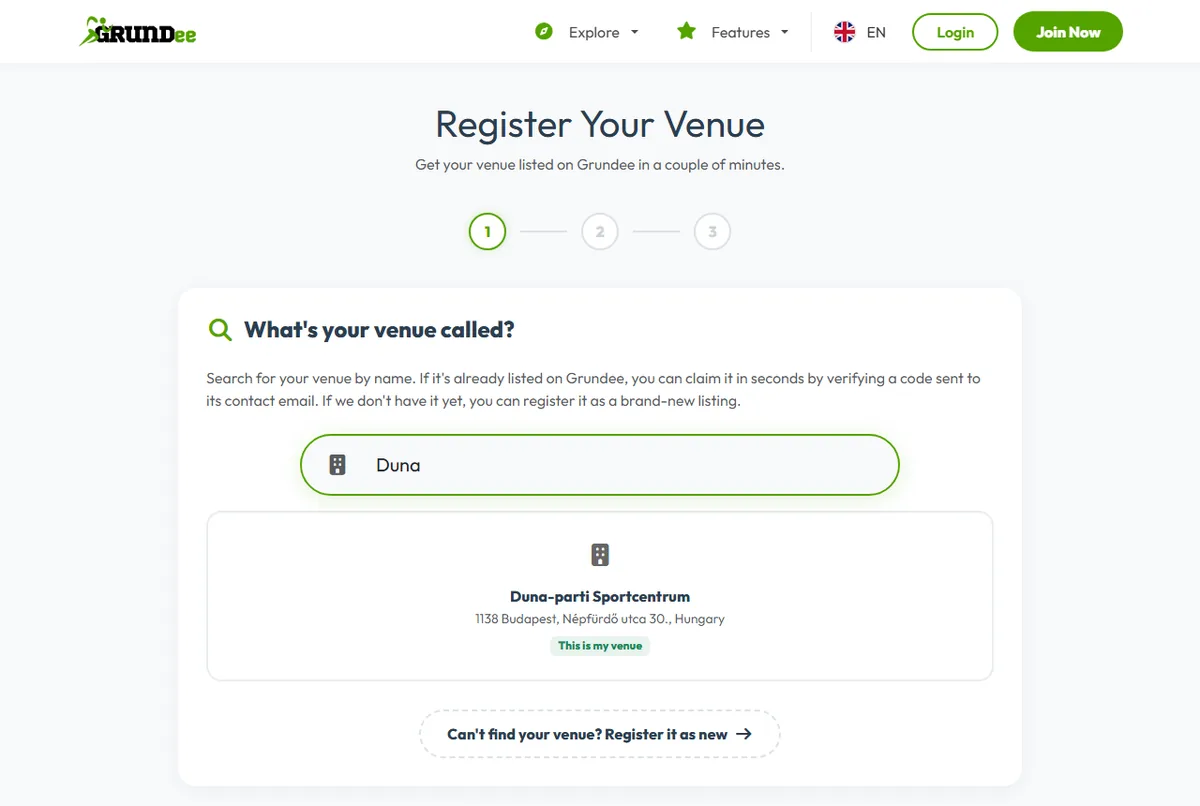
-
Tell us about your venue
The name and the address are enough for now. You add fields, prices and photos afterwards from your dashboard.
-
Create your account
Give your name, email address, phone number and a password, then click Create Account & Finish. Already have an account? Log in instead. Your contact details become the venue's.
What to do next
- Add your fields and opening hours, so people can book.
- Choose how guests pay.
- Write your house rules and decide about instant booking.