





 Football in Budapest
 Tennis in Budapest
 Handball in Budapest
 Basketball in Budapest
 Volleyball in Budapest






People can only book what you open: first add your fields, then draw the weekly times each field can be booked.
Add a field
-
Open your fields
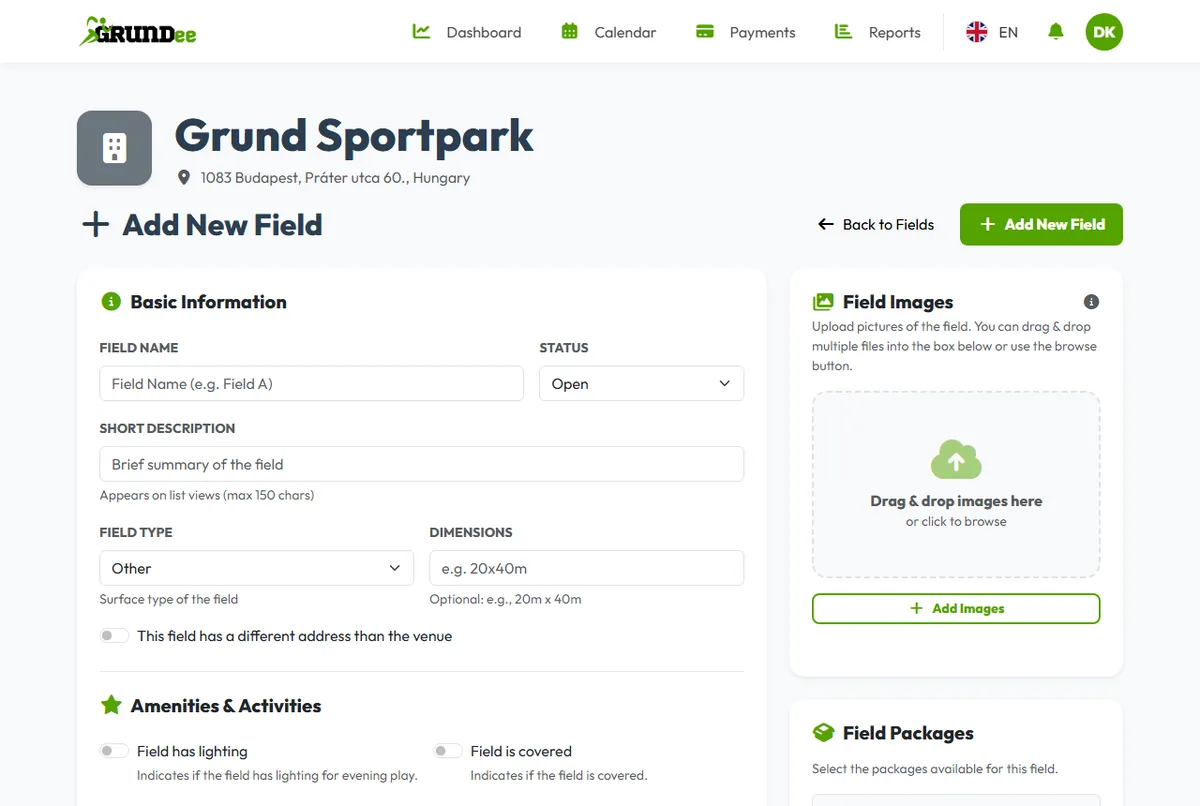
On your venue dashboard click Manage Fields, then Add New Field.
-
Describe the field
Give it a name, the field type, size, lighting and cover, the sports it is for, the base price and photos. Click Save Field Details.
Set the bookable times
-
Open the weekly grid
On the field's card click Manage Slots.
-
Draw your opening hours
Click and drag on a day to create a time slot. Leave the price empty to use the base price, or enter a custom price for peak hours. Click Save.
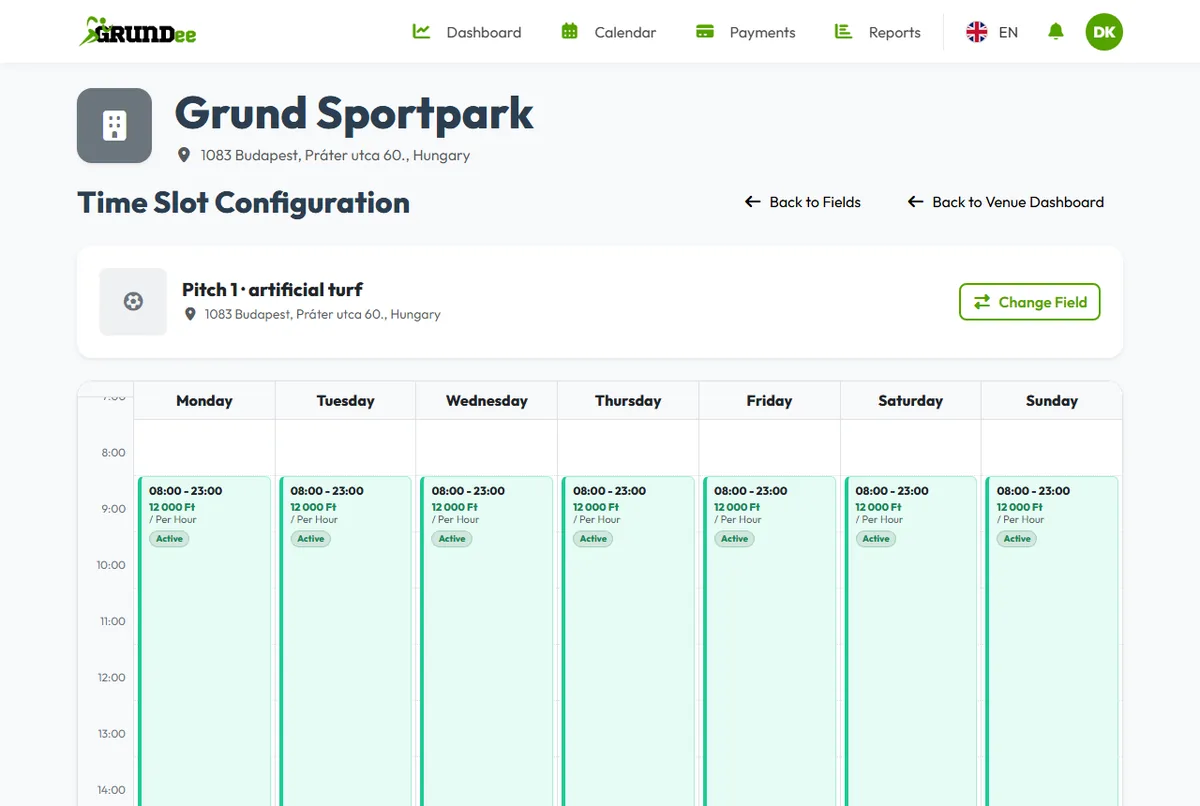
Your weekly pattern repeats every week; Grundee opens the coming weeks for booking by itself.