





 Football in Budapest
 Tennis in Budapest
 Handball in Budapest
 Basketball in Budapest
 Volleyball in Budapest






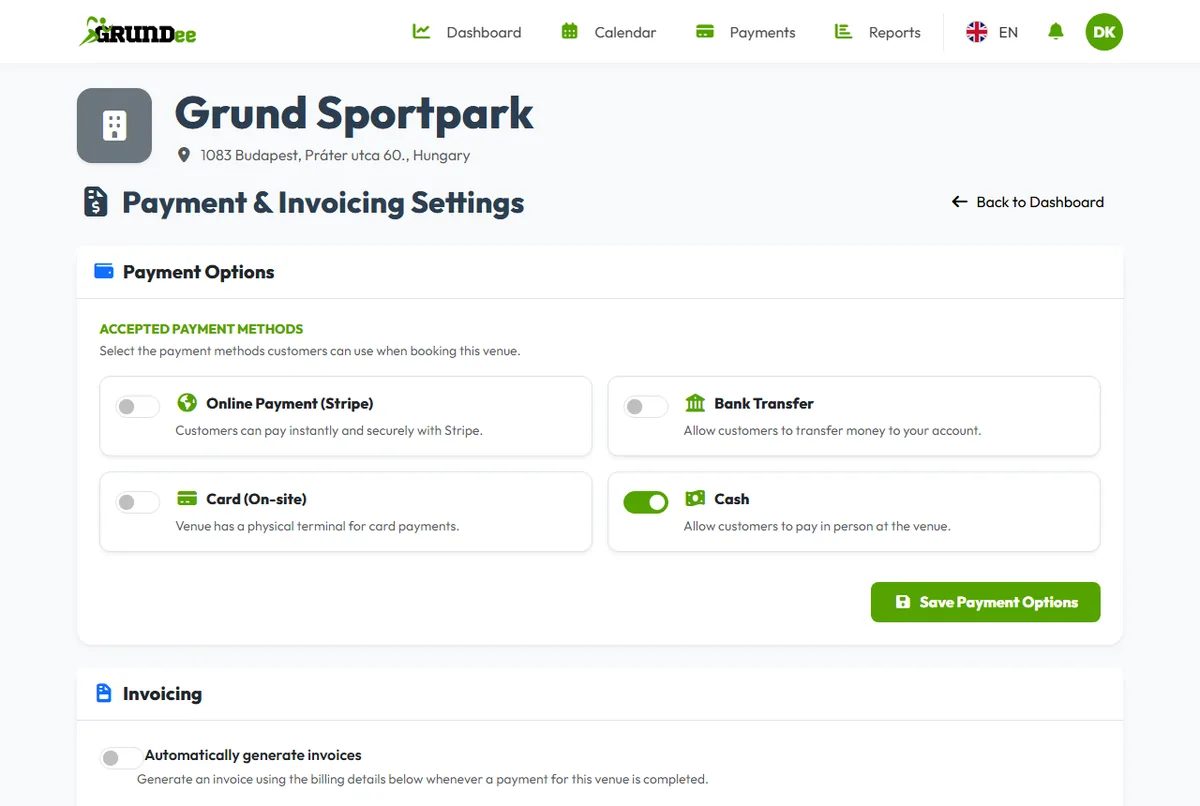
Choose how guests can pay for their bookings: online by card, by bank transfer, by card at your terminal, or in cash.
-
Open the payment settings
On your venue dashboard, click Manage Options under Payment Options.
-
Tick the ways you accept
For bank transfers, pick the bank account guests should pay to. Click Save Payment Options.
-
Connect Stripe for card payments
If you switched on online payments, click Connect with Stripe and finish the setup on Stripe's page. Payouts go straight to your bank account.
Invoices
On the same page you can switch on automatic invoices and fill in the billing details that appear on them.
What does a card payment cost? See fees for online payments.