





 Football in Budapest
 Tennis in Budapest
 Handball in Budapest
 Basketball in Budapest
 Volleyball in Budapest






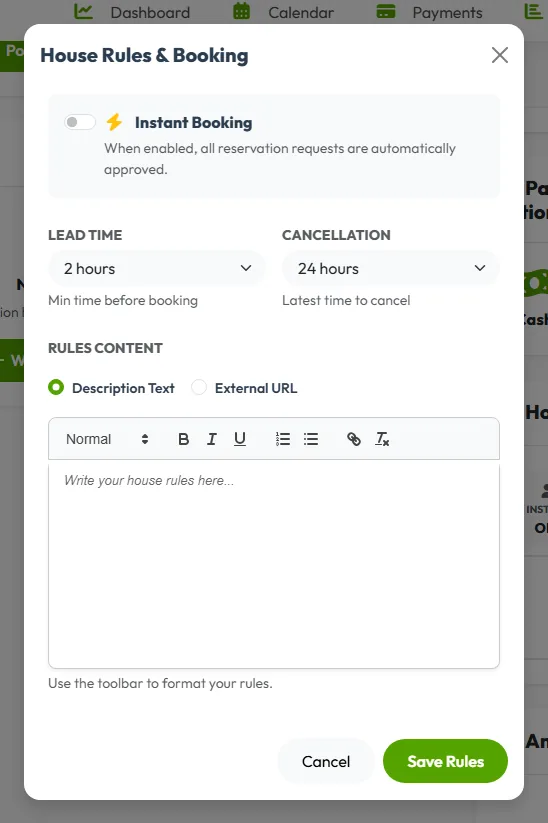
House rules and booking settings
On your venue dashboard, click Manage Rules under House Rules. Click Save Rules when you're done.
- Instant Booking: when enabled, all reservation requests are automatically approved.
- Lead Time: how many hours before the start people can still book.
- Cancellation: the latest time a booking can be cancelled.
- Rules: write them here, or link to a PDF or a page on your website. Guests accept them when they book.
Packages
Packages let you offer time and service bundles (e.g. 4h Field + Gear). Creating a package might be beneficial for boosting reservations!
Click New Package on your venue dashboard. Give it a name, a description, a price and a duration, choose the fields it applies to, and click Save Package Details.
Amenities and your venue's page
Changing rooms, parking, a buffet? Add them under Amenities, and write a few lines About the Venue: they help people choose you.