





 Football in Budapest
 Tennis in Budapest
 Handball in Budapest
 Basketball in Budapest
 Volleyball in Budapest






There are three ways to bring players in: a link for your group chat, a QR code to scan, or an email invitation. Use whichever is quickest for your group.
-
Open your team page
On your dashboard, click Manage Team on your team's card.
-
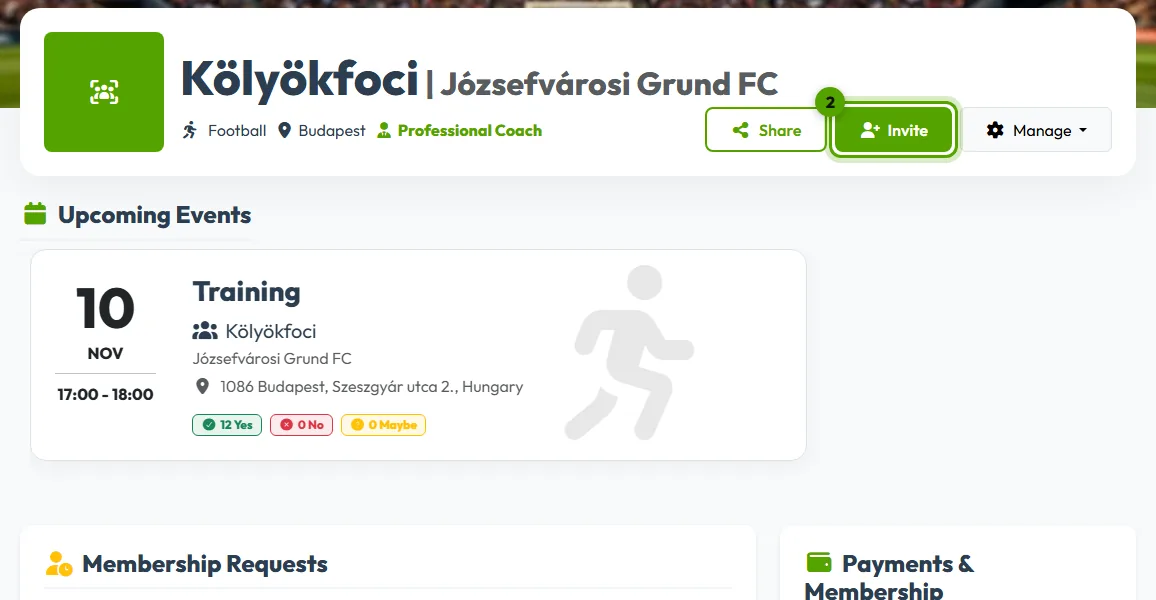
Click Invite
Click Invite under your team's name. A window opens with every way to invite.
-
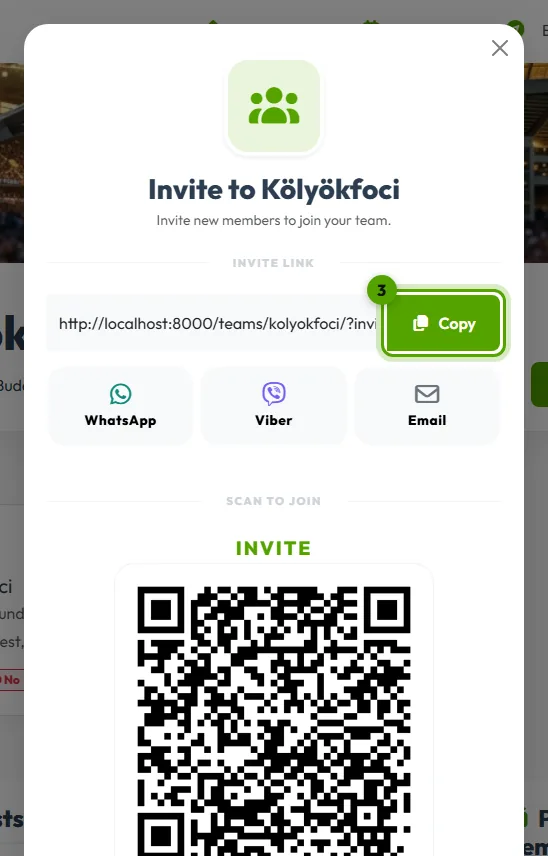
Share the invite link
Click Copy and paste the link into your WhatsApp, Viber or Messenger group, or click Share Link to send it from your phone. Anyone who opens it can join your team, even without an account: they sign up on the way.
Standing next to your players? Let them scan the QR code with their phone camera.
-
Or invite by email
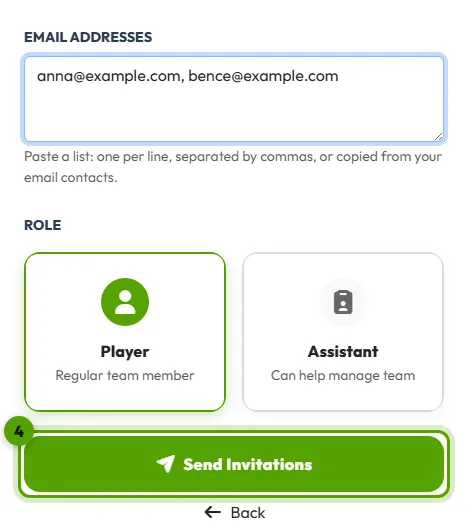
Under Invite via Email, type one or more email addresses separated by commas, then click Send Invitations. Grundee emails each of them an invitation they can accept or decline.
Coaches also choose a role here: Player, or Assistant for someone who will help run the team.
Who has accepted?
Open Manage → Team Roster. Email invitations that are still waiting are listed under Pending Invitations, where you can Resend Email or Revoke Invitation them.