





 Football in Budapest
 Tennis in Budapest
 Handball in Budapest
 Basketball in Budapest
 Volleyball in Budapest






Someone left the team, or joined by mistake? Take them off the roster in a few clicks.
-
Open the roster
On your team page, open Manage → Team Roster.
-
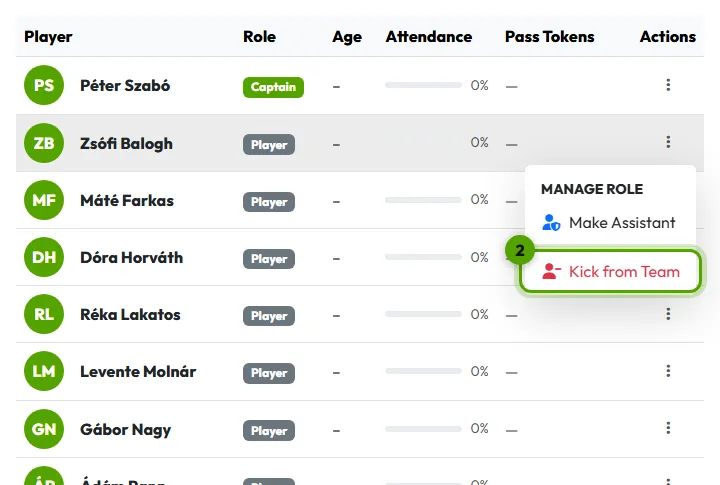
Choose Kick from Team
Click the ⋮ button at the end of the player's row, then Kick from Team.
-
Confirm
Click Remove Member in the window that opens.
What happens next?
- They lose access to the team's events and data, and stop getting its reminders.
- Their earlier answers and payments stay in your records.
- You can invite them again any time.