Football in Budapest
 Tennis in Budapest
 Handball in Budapest
 Basketball in Budapest
 Volleyball in Budapest






| Public team | Private team | |
|---|---|---|
| Shows up in Explore and in search engines | Yes | No |
| Anyone can open the team page | Yes | No |
| How people join | Invite link, email invite, or a request you approve | Invite link or email invite only |
Players still need your approval to join your public team. On a public team, signed-in Grundee users can see the players' names on the roster. Email addresses and phone numbers are never shown there.
Change it
-
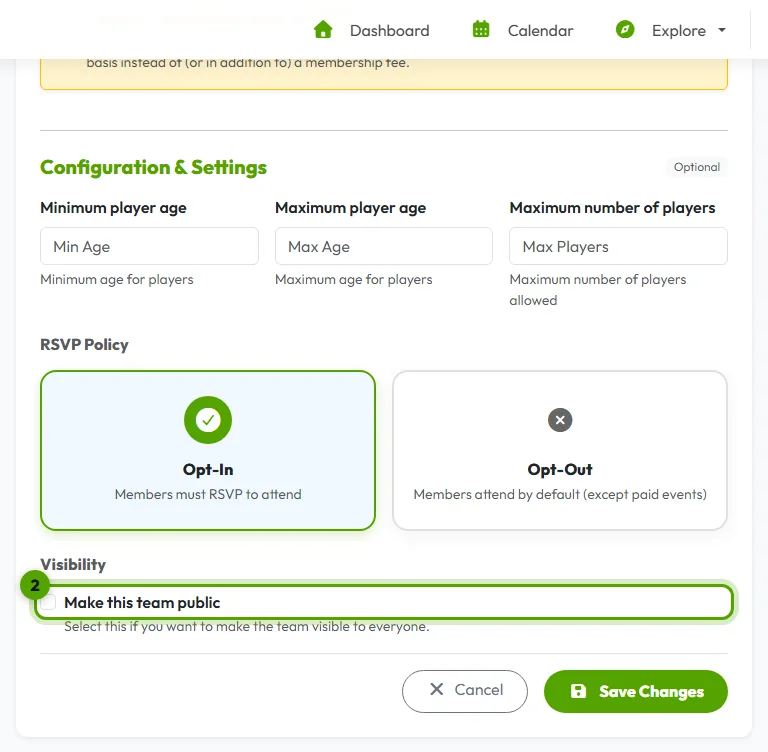
Open the team's settings
On your team page, open Manage → Edit Team Details.
-
Switch Public Team Discovery on or off
You find Public Team Discovery under Ground Rules. Click Save Changes.